problem solved
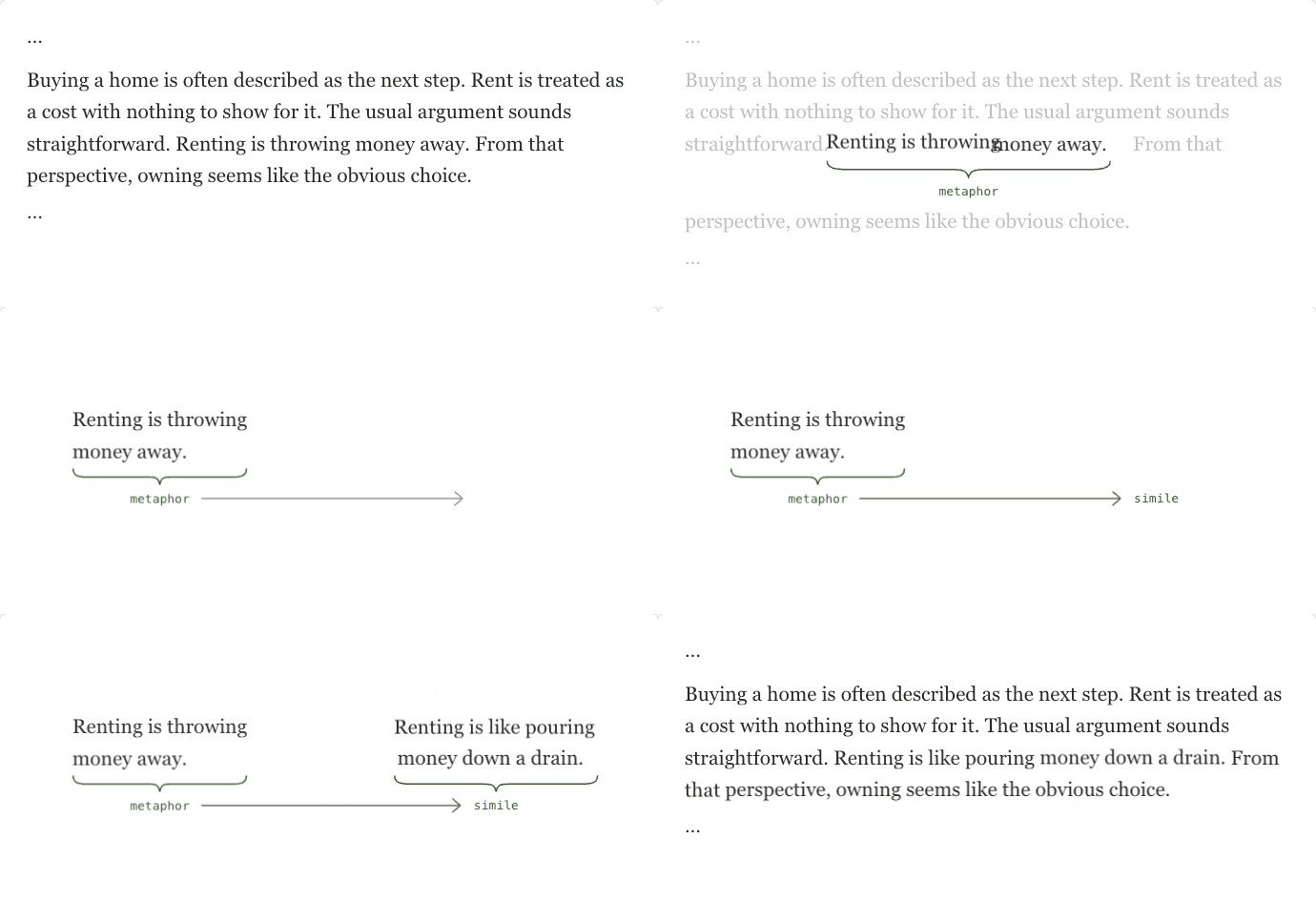
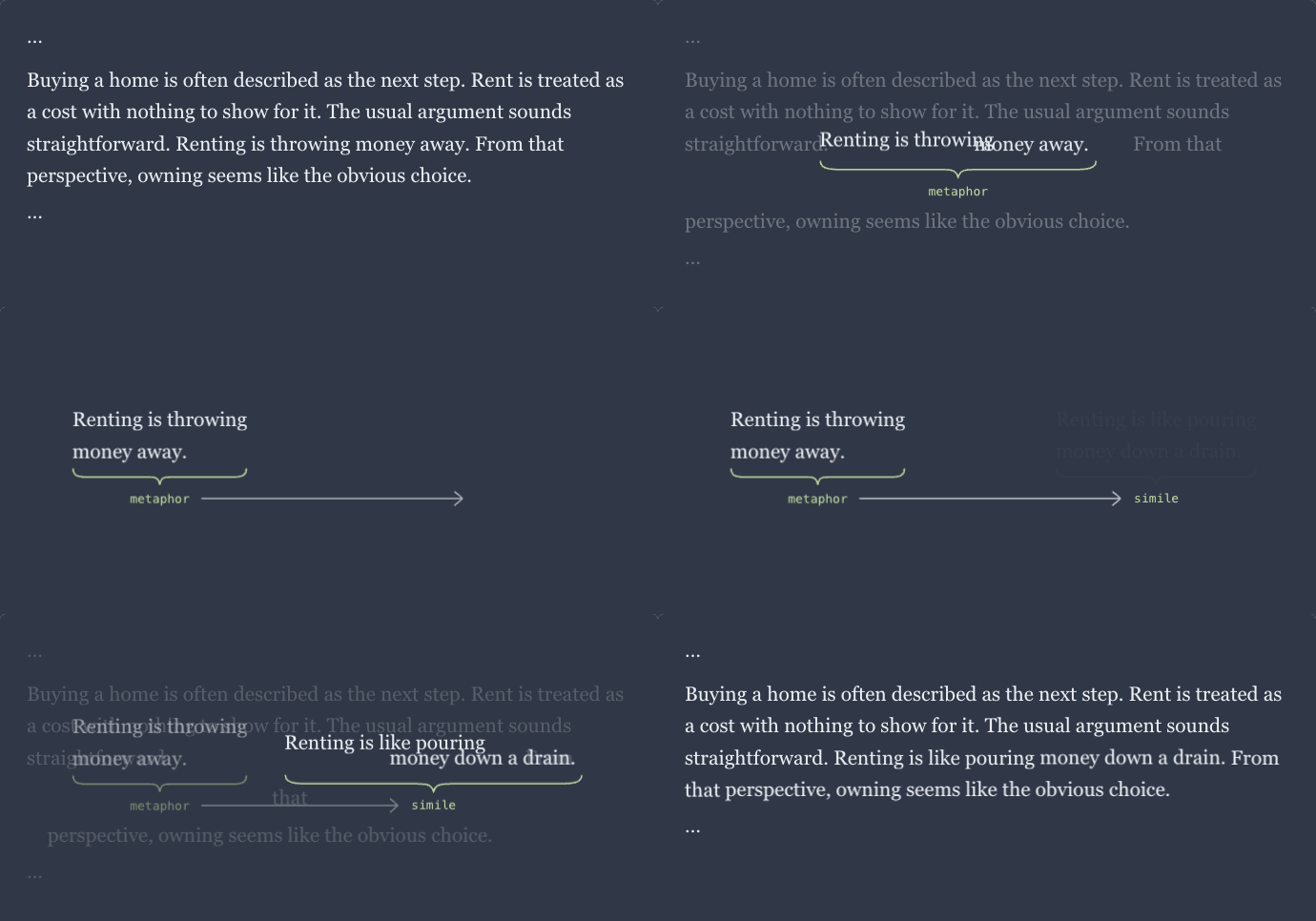
i often want to keep the intent of a sentence while trying different ways of making its point. choosing a form such as metaphor or simile gives me a concrete way to direct the rewrite, with ai handling the wording. the replacement returns to its place in the essay so i can read it in context.
interface inspirations
- push pop press’s our choice lets readers pull graphics out of prose, interact with them, and return them to their original context. here, a sentence leaves the paragraph for a focused edit before its replacement returns.
- imessage’s send transition carries typed words from the input into a message bubble. here, carrying the sentence between layouts makes its relationship to the paragraph visible.
interaction patterns
- shared element transitions carry an element between views by animating its position and size. here, the sentence moves from the paragraph into the comparison, and the replacement moves back.
- object constancy lets someone visually track an element through a transition. here, the words stay recognizable as they move and reflow, so the reader can follow which passage is being edited.
design decisions
- make form the control. the arrow connects metaphor → simile because rhetorical form is what the writer changes. the simile label appears first; its bracket and sentence follow together as the generated result.
- preserve the surrounding context. the selected sentence starts inside a continuous paragraph. nearby prose dims while the sentence is annotated, then returns after the replacement settles into place.
- separate watching from explanation. the demo loops through the interaction. the walkthrough adds explanations in a reserved area below the text, letting the reader advance at their own pace.